
Full asset lifecycle
Procure, receive, stock, assign, repair, replace, dispatch, return, retire and dispose — each a real state with rules about what may follow it, and the asset page only offers the moves that are allowed.
Complete Suite · ITIL service desk, IT assets, procurement and planning
SupportCentral Enterprise puts your service desk and your asset register in one system, so the ticket, the device, the person and the exit checklist are the same record. Built in India, priced in rupees, with your data in the country.
No card required. Unlimited employees on every plan — you pay for agents and devices.
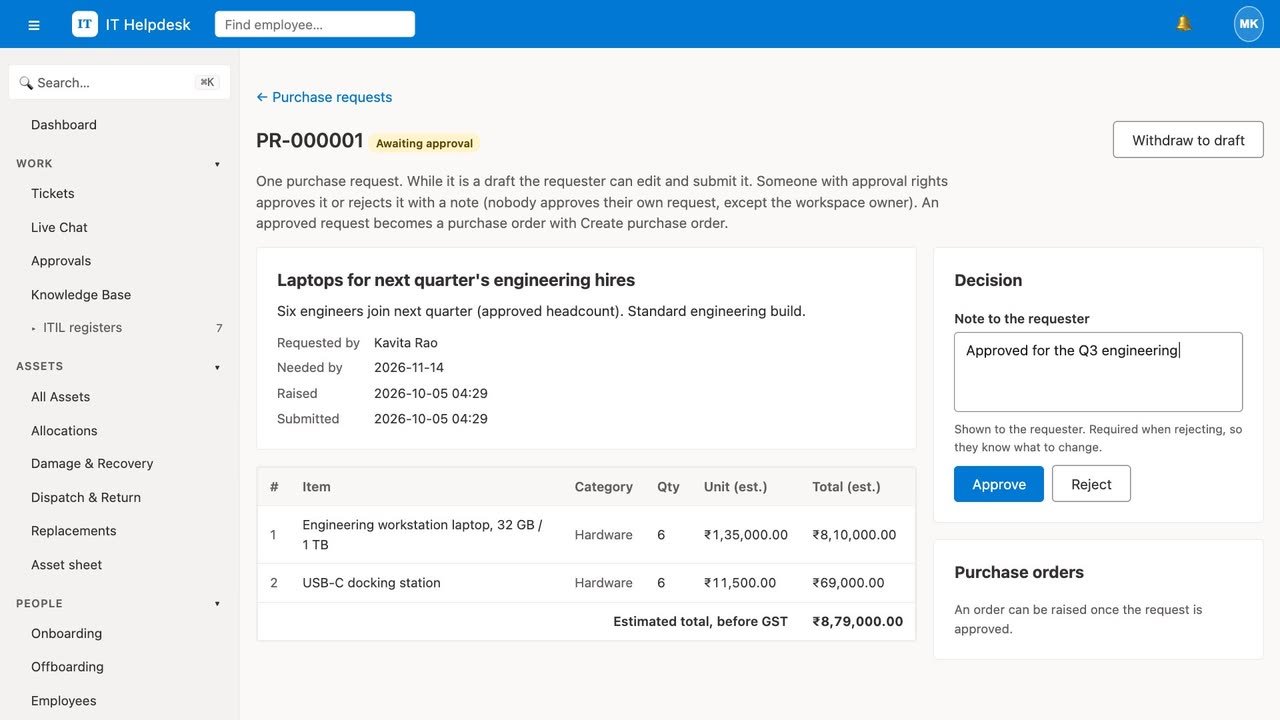
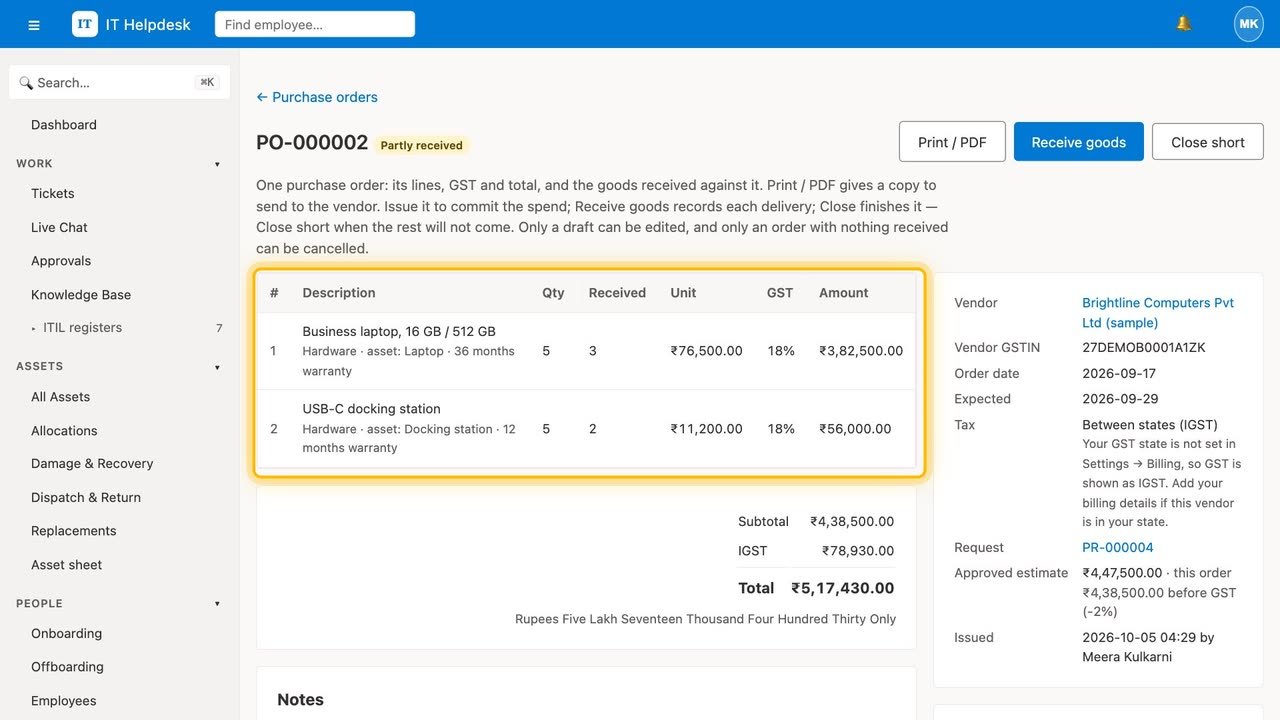
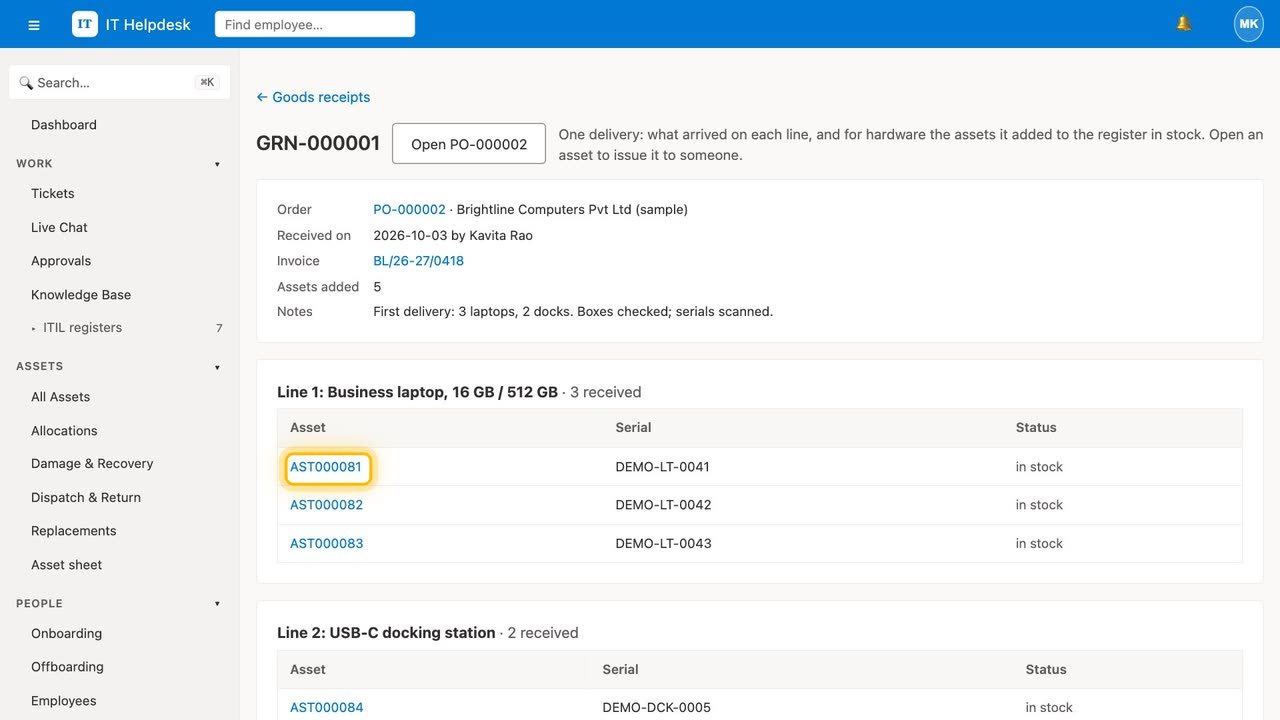
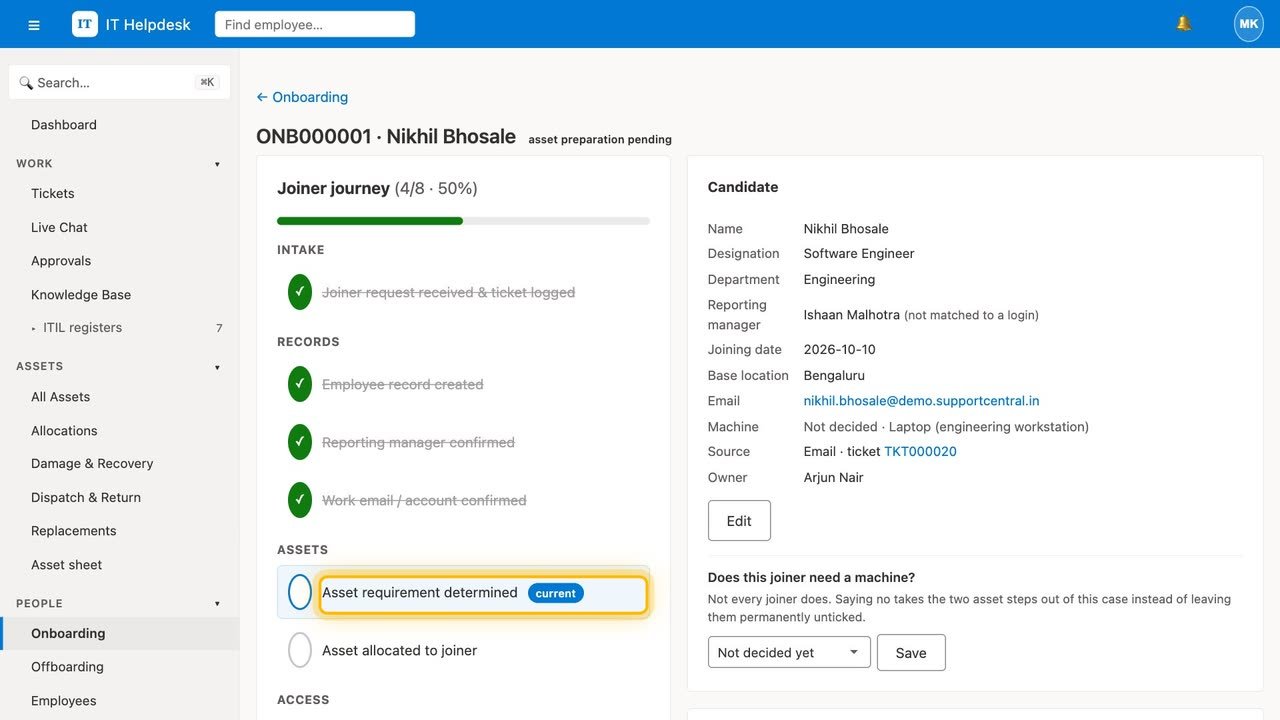
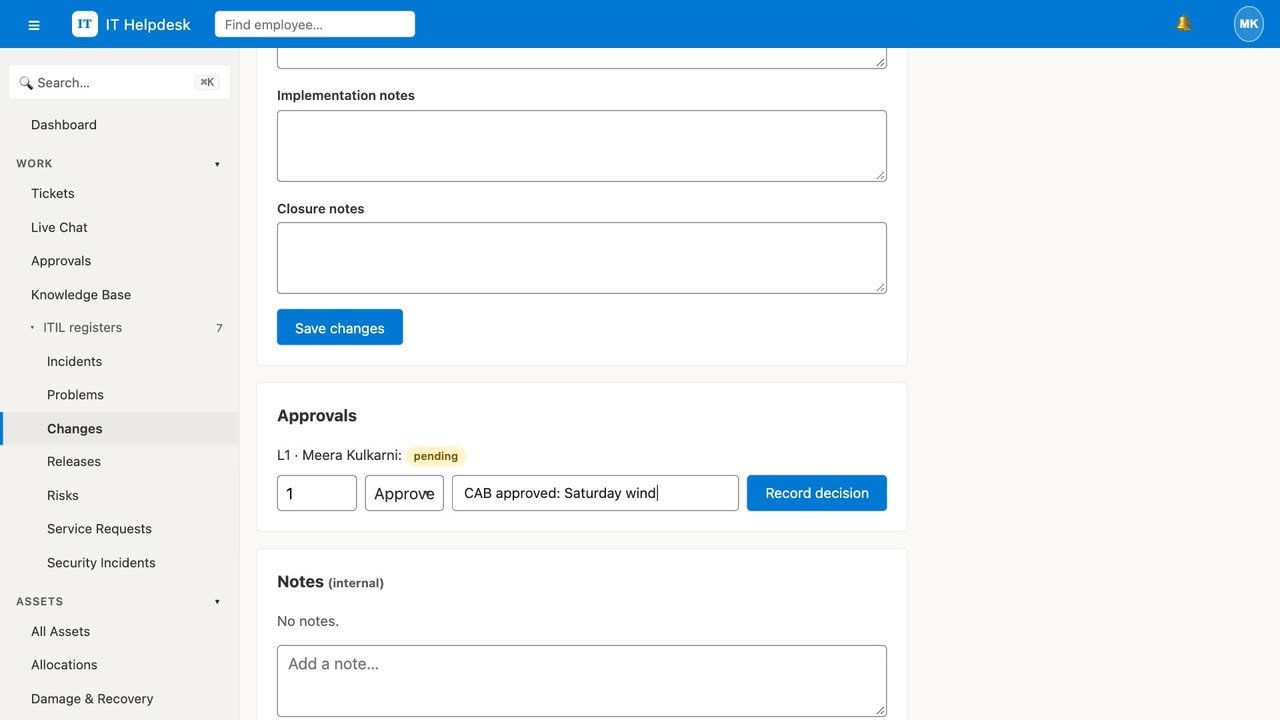
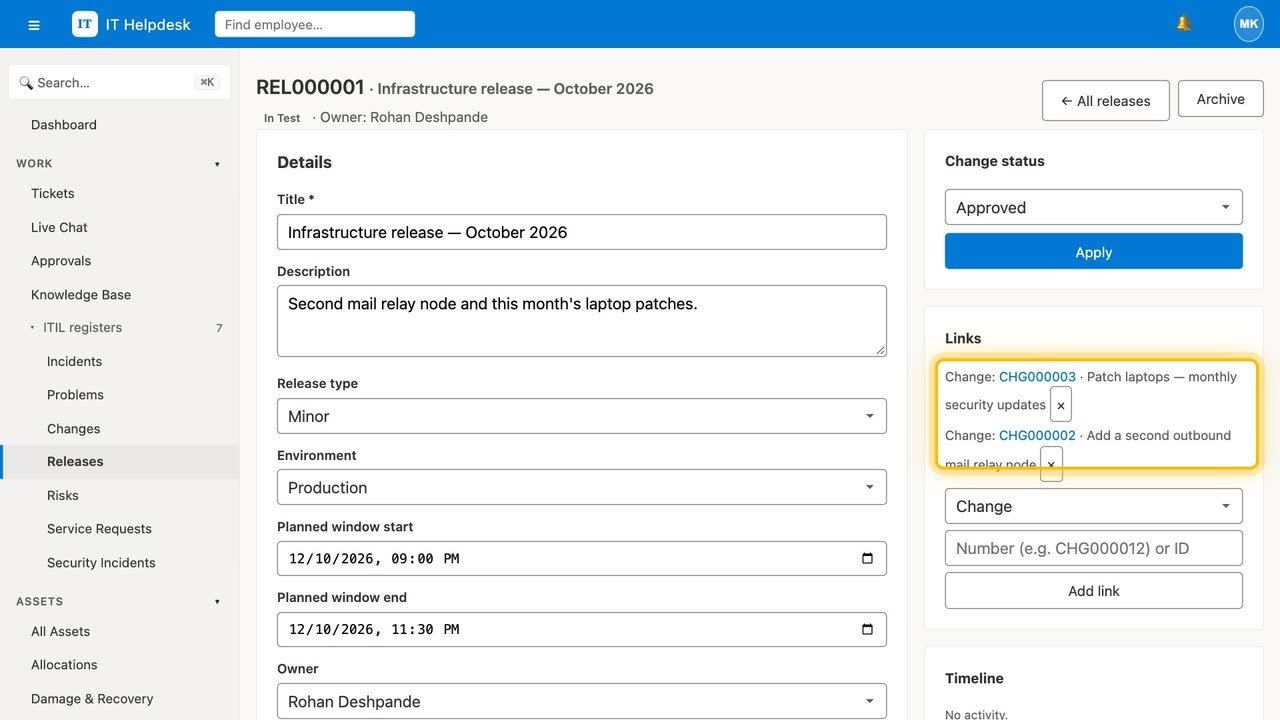
Two minutes in the live demo workspace: a hardware ticket answered with the device in view, a purchase request approved and received into the asset register, a joiner and a leaver, and the CAB approving a change. Real screens and real clicks, not a mock-up.
Recorded in the demo workspace, which runs on the Enterprise plan. Tickets, incidents, service requests, the catalog, the asset register, vendors and live chat are on every plan; problems, changes, releases, risks, joiners and leavers, procurement, planning, subscriptions and invoices need Professional or Enterprise. The plan table on the pricing page lists exactly what each plan includes.
Try the demo yourself: every role Step through it slide by slide
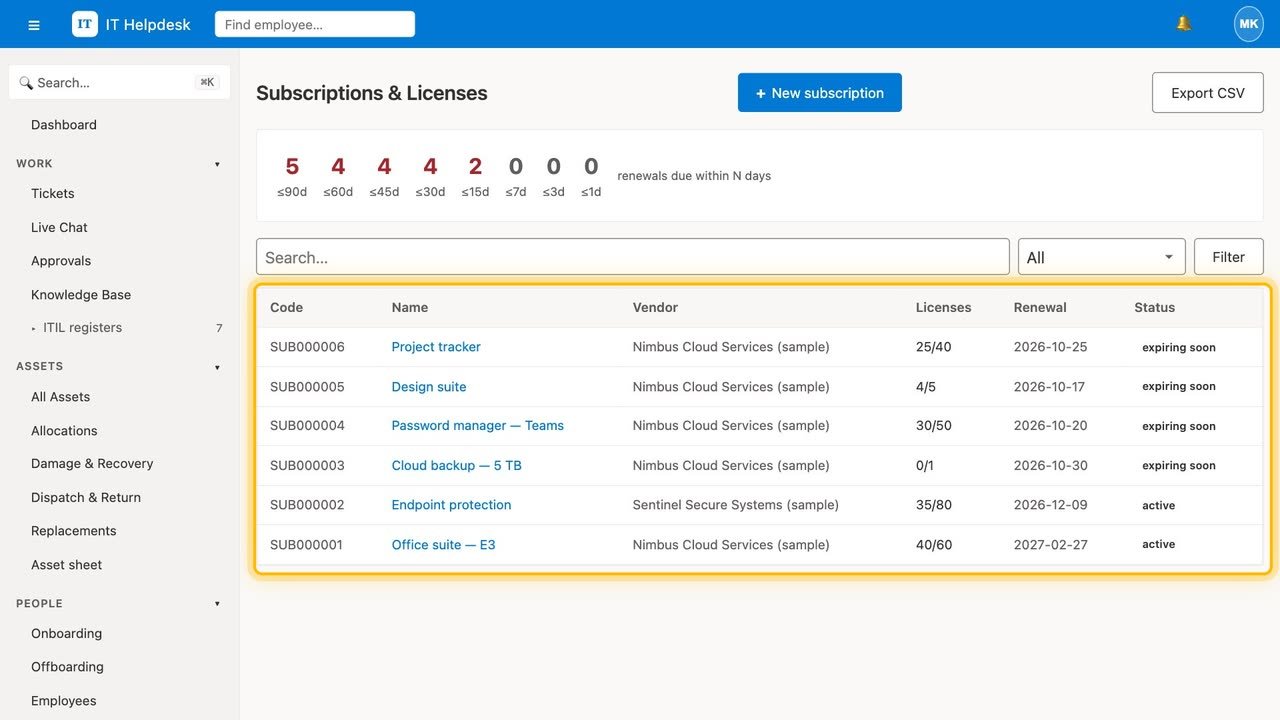
Screens from the demo workspace, exactly as your team would see them.
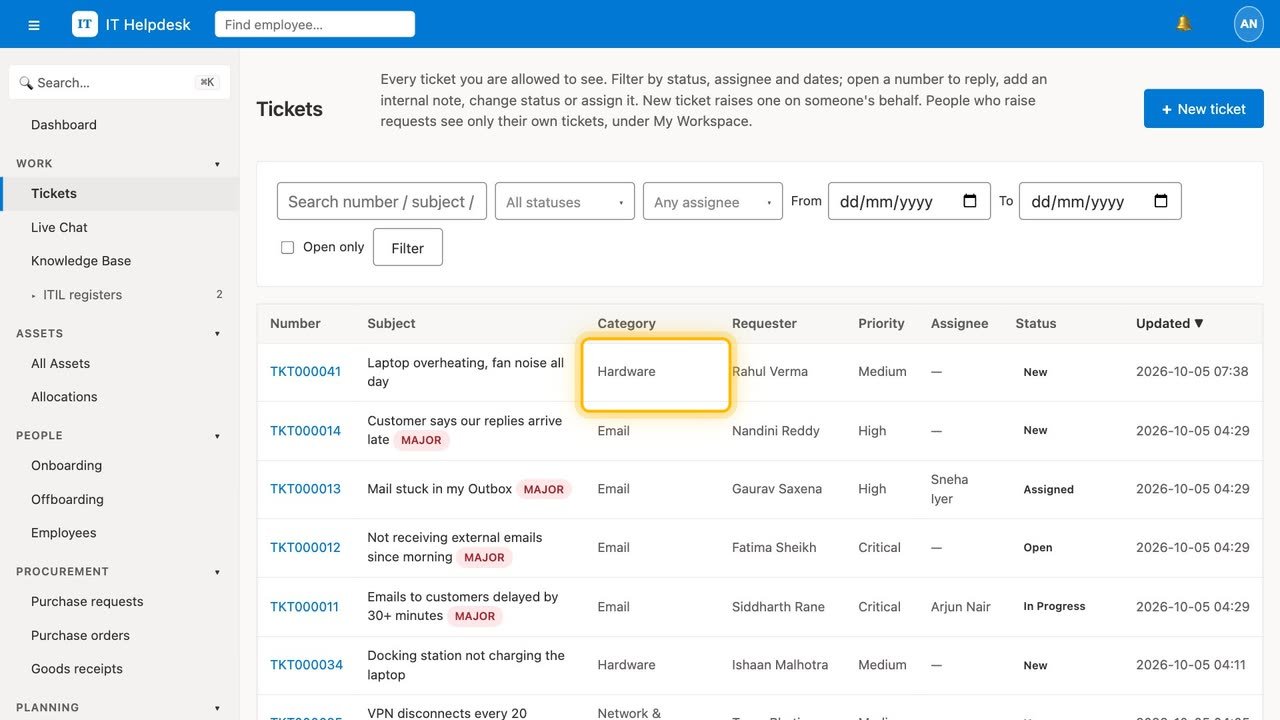
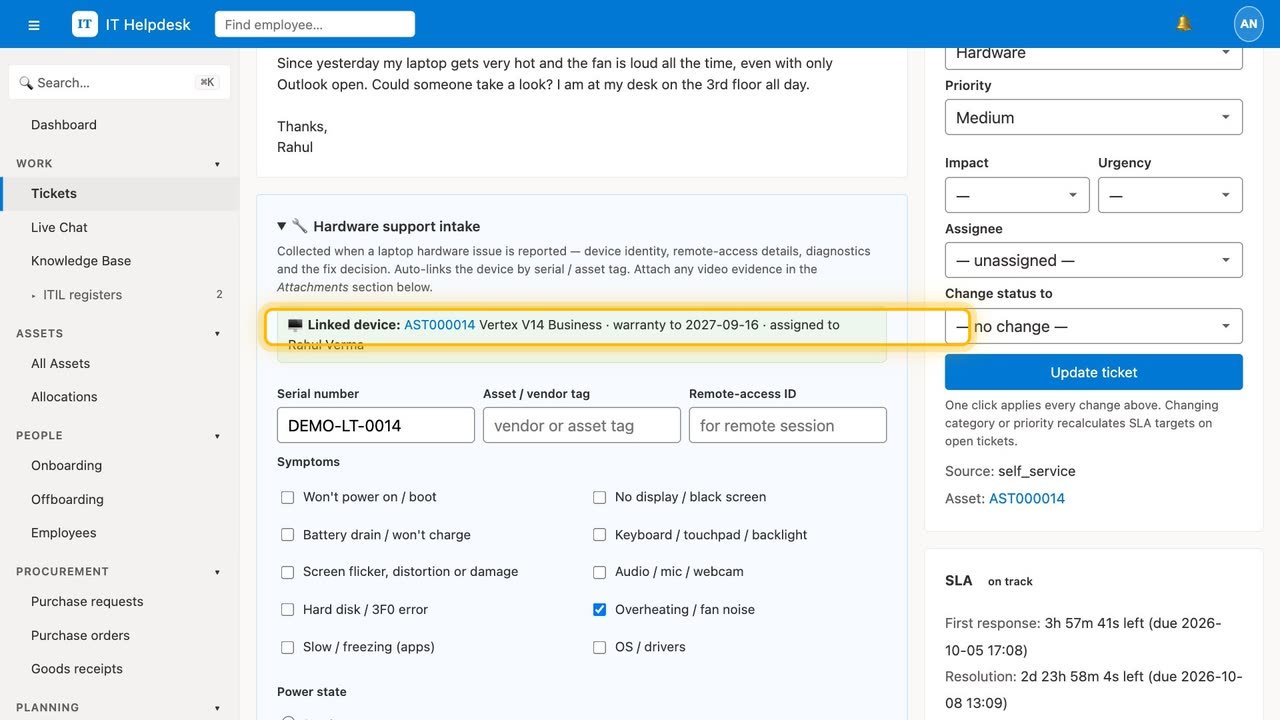
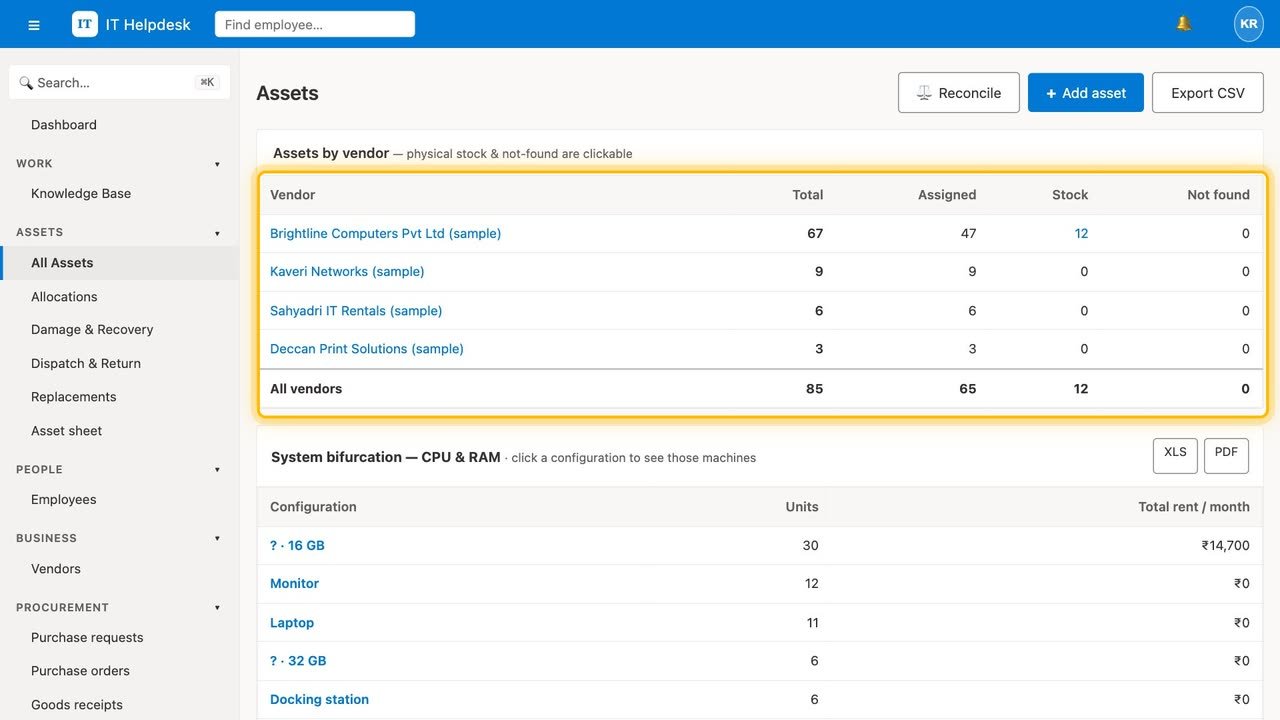
Almost every IT team we meet runs the service desk in one tool and the asset register in an Excel file that one person maintains. The spreadsheet was accurate the week it was made. Since then laptops have been reassigned in a hurry, three went for repair and two came back, somebody left and nobody chased the machine, and the warranty dates were last checked at the previous audit.
The cost is not the spreadsheet. It is the two hours before every audit, the laptop written off because nobody noticed the warranty had three weeks left, the licence still being paid for an employee who left in March, and the awkward conversation when finance asks what the IT estate is actually worth.
The fix is not a better spreadsheet. It is making the ticket and the device the same record, so the register updates itself as work happens rather than when somebody remembers.
A complete service desk, plus the parts that only matter when you own the hardware.
Procure, receive, stock, assign, repair, replace, dispatch, return, retire and dispose — each a real state with rules about what may follow it, and the asset page only offers the moves that are allowed.
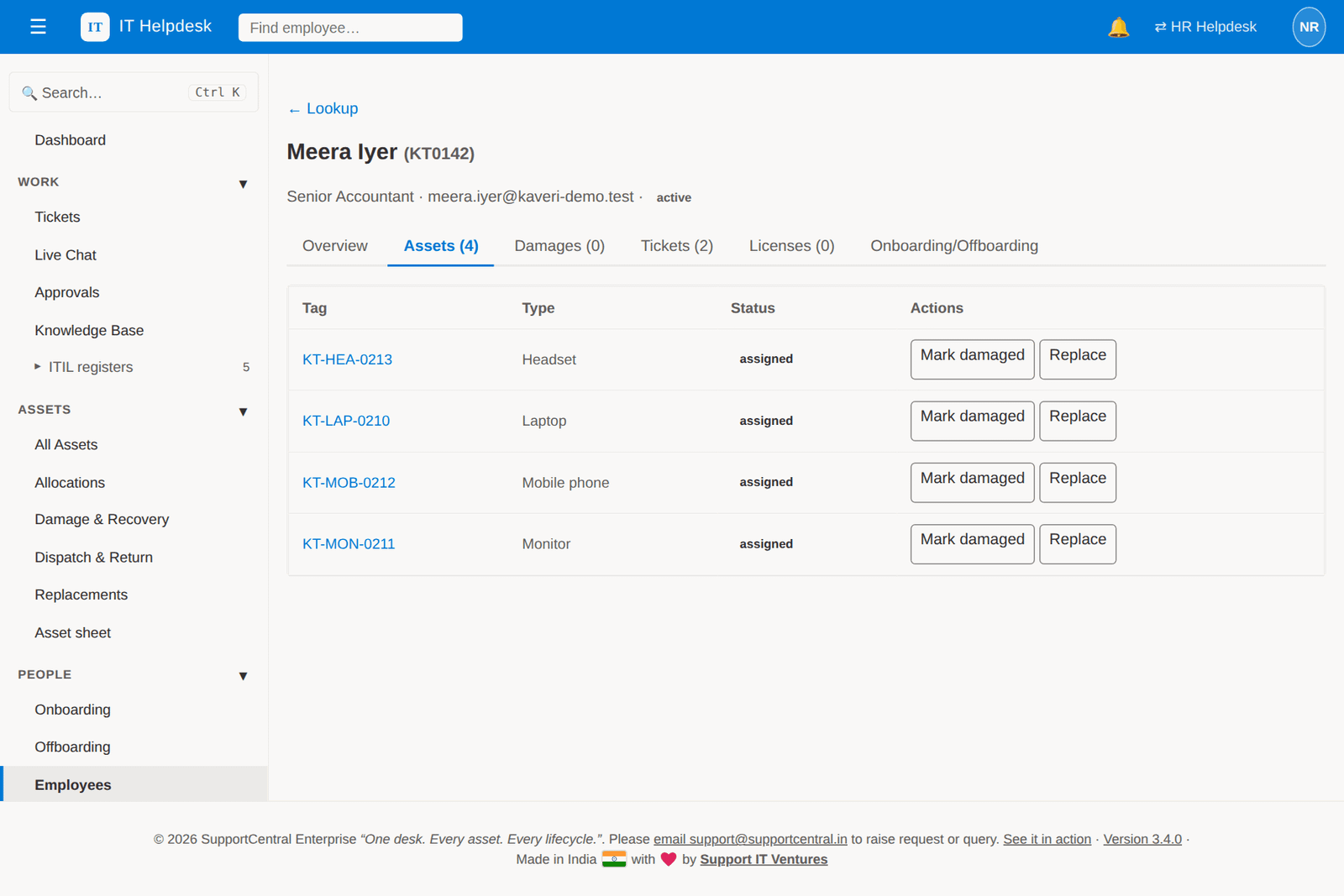
One page per person: the devices they hold, the tickets they raised, their licences, any damage cases, and their onboarding and exit cases.
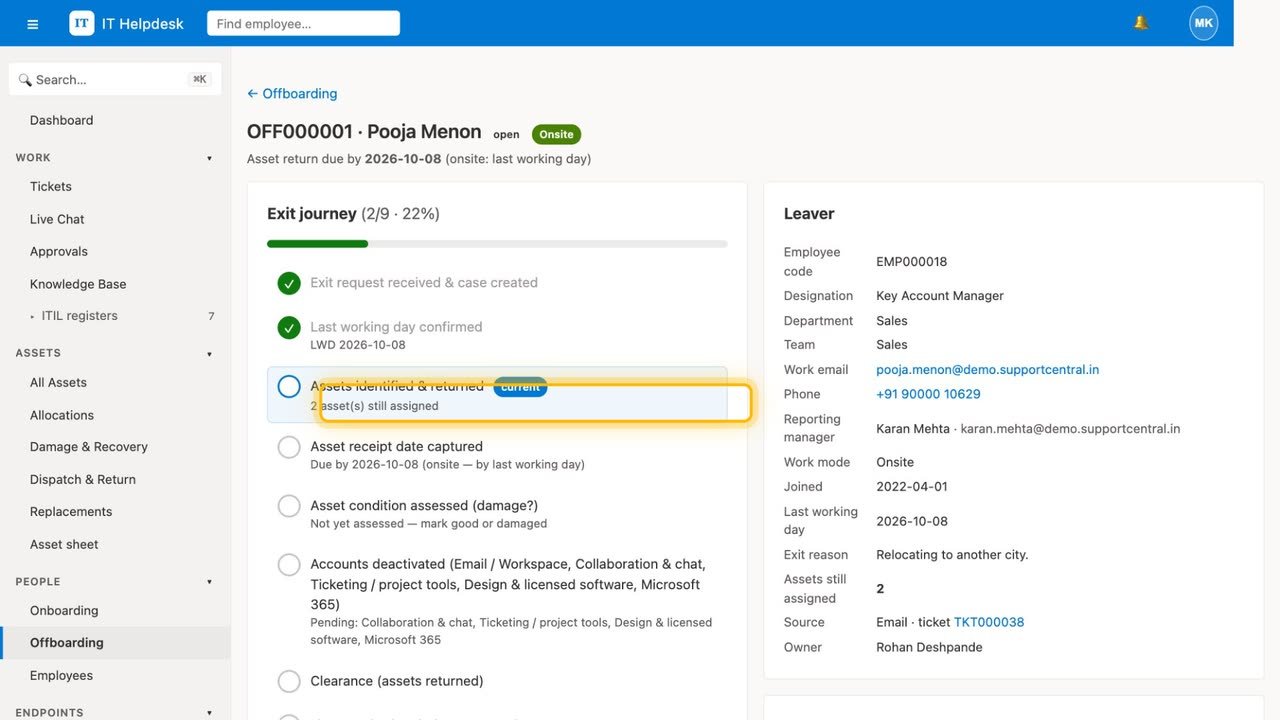
A joiner checklist that verifies itself from live data, and an exit that will not complete until the assets are returned — with any override recorded on the case and in the audit log.
Damage cases with quotes, approvals and recovery, replacements that keep the old device visible, and courier tracking your employee can follow from the portal, ending in a receipt confirmation that resolves the ticket.
Contracts and their expiry, rent exposure by vendor, repair turnaround, and a licence register that can fill itself from Microsoft 365 — after a dry run you have looked at.
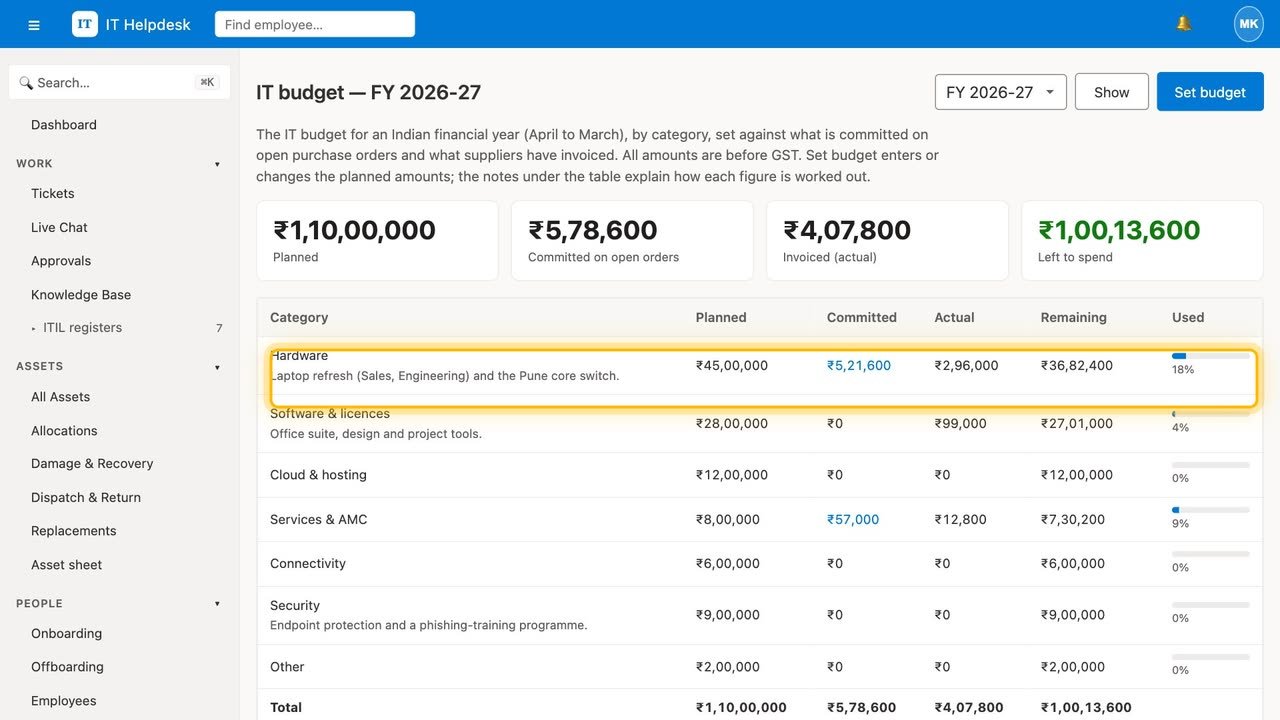
An IT budget by financial year with planned, committed and actual spend, a hardware refresh plan worked out from the age of your devices, purchase requests and orders with GST, and goods receipts that add each serial number straight to the register.
Connect your security software through its API — CrowdStrike, Defender, SentinelOne, Sophos or any product with a REST API — and detections become incidents joined to the device, the person and their manager, with a printable report that says when, how and why in words a non-technical manager can act on.
SupportCentral does not replace Microsoft 365, Google Workspace or your security software. It connects to them with your own credentials, reads what they know, and puts it next to the ticket, the device and the person — so one screen answers questions that used to need four.
A laptop stops charging. The employee reports it from the portal, starting from the device in their list of what they hold — so the ticket is already linked to the right asset, with its serial, warranty status and purchase date attached.
The engineer sends it for repair; the asset moves to under_repair without anybody updating a spreadsheet. A replacement is issued and dispatched, the employee confirms receipt in the portal, and once the old machine is back the ticket resolves itself. The old machine is still visible, still owned, still on the books.
Nobody did data entry. The register is correct because it is a by-product of the work, not a separate chore that competes with it.
Every database row, uploaded file and log line is hosted in India, in Hostinger's Mumbai data centre. The only two companies that handle your data on our behalf are Hostinger, which hosts the service, delivers its pages through its CDN and sends its email, and Razorpay, for payments.
Google Workspace, Microsoft 365, your security software and Google Sheets connect with your own credentials, per workspace, and are off until you turn them on. They read; the only thing any of them changes in your systems is the optional mailbox suspension at the end of an exit, which you switch on separately. The licence and sheet imports show you a dry run before they write anything. They are your integrations to your services — not ours.
We do not run an AI model for customers. The chat assistant works from rules and your own knowledge base, and out of the box no AI model is called at all. If you want AI answers and drafting, AI Studio connects a model you run yourself — for example Ollama on your own server — or a provider you choose; you type its address to confirm, and every call is recorded with where it went.
Two things drive what this product costs you: how many people work the queue, and how many devices you are managing. A managed service provider with four engineers and three thousand machines and a factory with twenty agents and three hundred machines are genuinely different customers, and a seat-only price gets both of them wrong.
So you buy agent seats and asset capacity, and add more of either as you grow. Employees raising tickets are unlimited and free on every plan.
If you reach your asset capacity, nothing is deleted. You are told the exact number, and new devices cannot be added until you add capacity, in blocks of 50 at the per-device rate. Returns, exits, damage closures and exports keep working regardless — blocking those would break your actual operation to make a billing point, which we are not willing to do.
Excluding GST. Each plan includes a block of managed assets; extra devices are charged per device per month.
| Plan | Monthly | Annual | Best for |
|---|---|---|---|
| Starter | ₹899 | ₹749 | A small IT team with a few hundred devices |
| Professional | ₹1,499 | ₹1,249 | A full lifecycle: onboarding, exits, vendors and licences |
| Enterprise | ₹2,499 | ₹2,082 | Multi-location IT, with licence and endpoint-security connectors managed inside the app |
Any asset in your register that is not retired, disposed or archived. A laptop that has been written off stops counting; one sitting in stock still counts, because the system is still tracking it for you.
At the limit you get a clear message with the exact number, and new devices wait until you add capacity, in blocks of 50. Nothing is deleted, nothing is hidden, and returns, offboarding completion, damage closure and data export are never blocked by a limit.
That is the expected way to start. The import wizard takes CSV or Excel, maps your columns to ours, shows you the errors row by row before anything is written, and can roll the whole batch back within 24 hours if the result is not what you wanted.
No — they are optional and off by default. The Microsoft 365 one connects your admin centre read-only to keep the licence register current; it does not replace or change Microsoft 365. They are useful once your register is populated, because they tell you which devices your security software can see but your register cannot, and which licences are assigned to people who have left.
Then run the desk on its own and leave the register empty until you want it. Nothing forces you to track a single device, and the ticketing, SLA, knowledge base and chat are complete without it. When you do start, the register fills from the ticket work you are already doing.
In India, hosted by Hostinger in its Mumbai data centre. Hostinger also delivers the pages through its CDN and sends our email, and Razorpay processes payments; that is the entire list, it is published on our sub-processors page, and we give thirty days' notice before it changes.
Twenty-one days, no card, and long enough to actually import your asset list and run a real month. Everything you put in is exportable in full from day one.