Watch it: two minutes in the live demo
A ticket answered with the device in view, a purchase request approved and received into the asset register, a joiner and a leaver, and the CAB approving a change. Real screens and real clicks, recorded in the demo workspace.
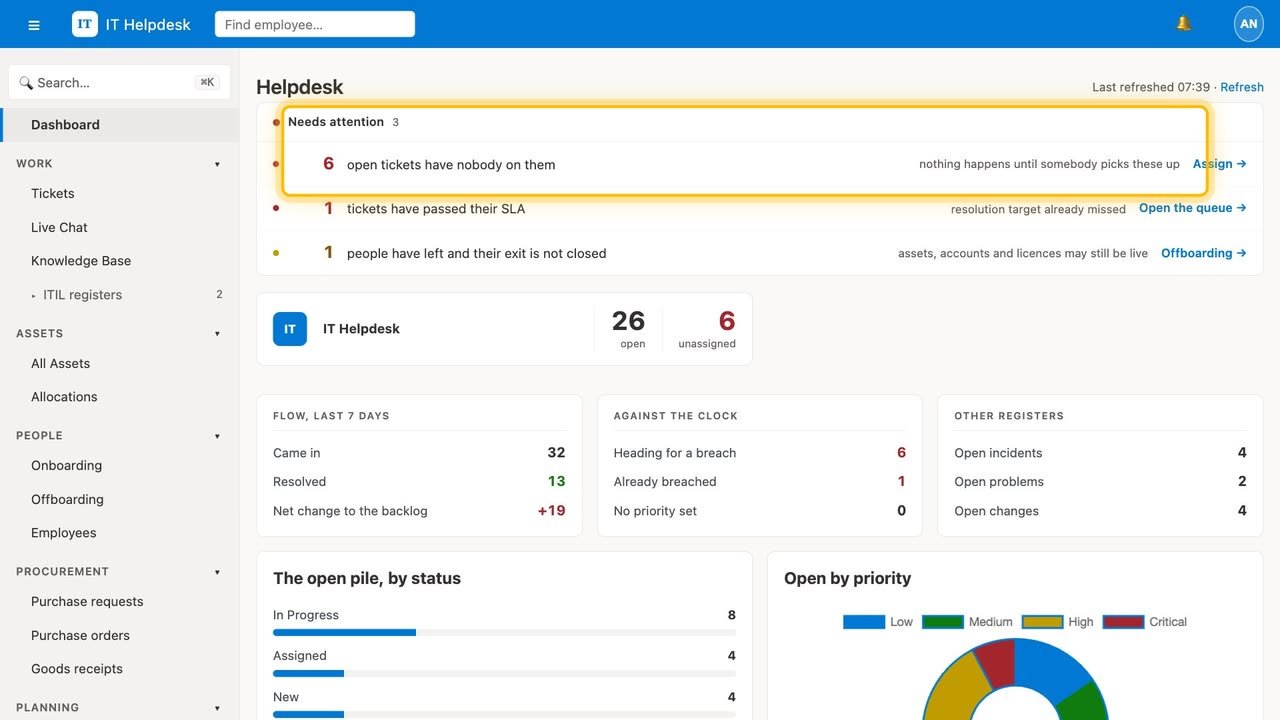
Everything your IT team handles, in one place.
Your workspace lives at supportcentral.in/yourcompany — nothing to install or host. Tickets, company assets, employees, vendors, subscriptions and approvals: one system instead of five spreadsheets and an inbox.
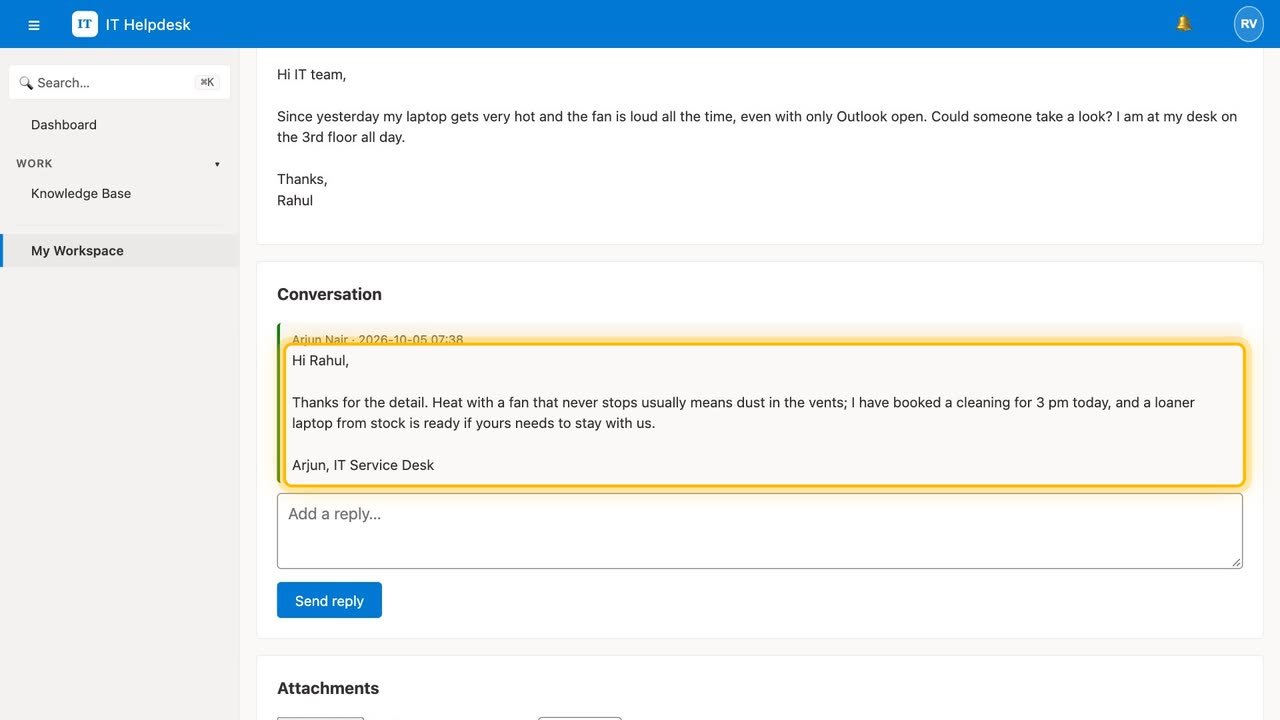
One conversation stays one ticket.
An employee emails the helpdesk; their lead and manager reply; the employee replies again. The mail headers keep every message on the same ticket — even if the subject line changes.
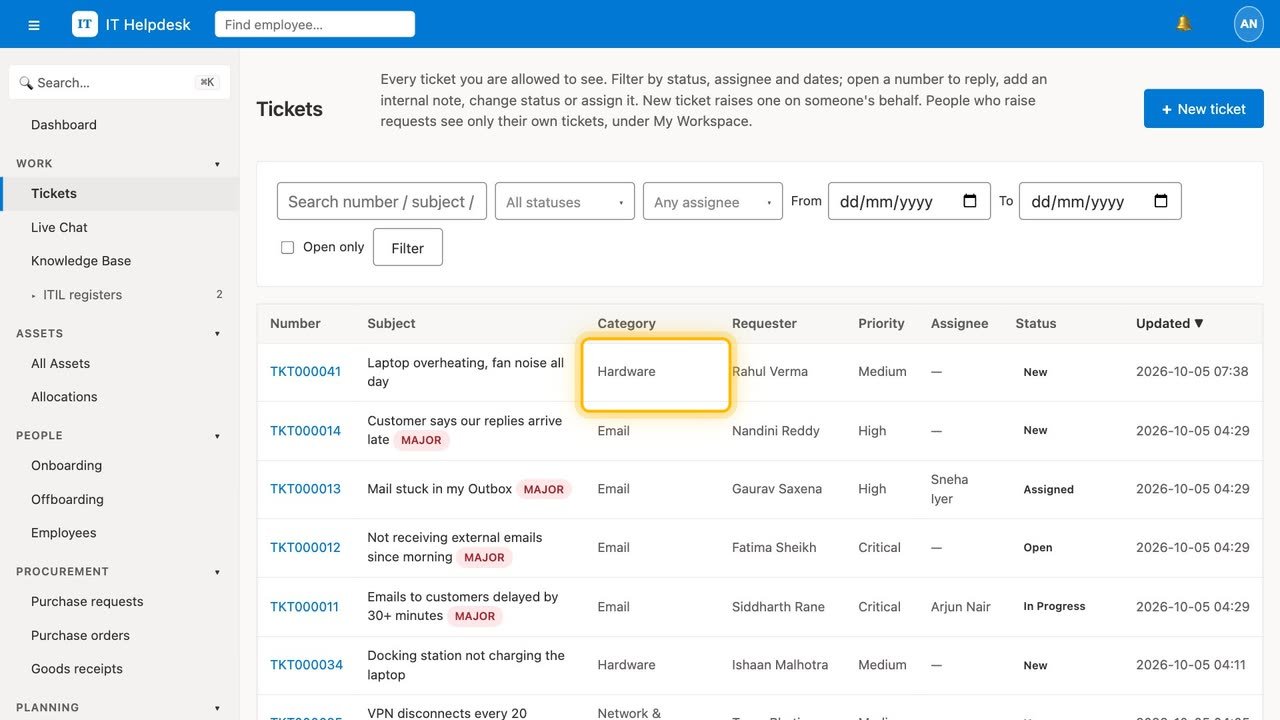
Tickets sort themselves.
A keyword engine, pre-loaded with a real IT triage table, gives each ticket a category — and can open an onboarding or offboarding case straight from the request.
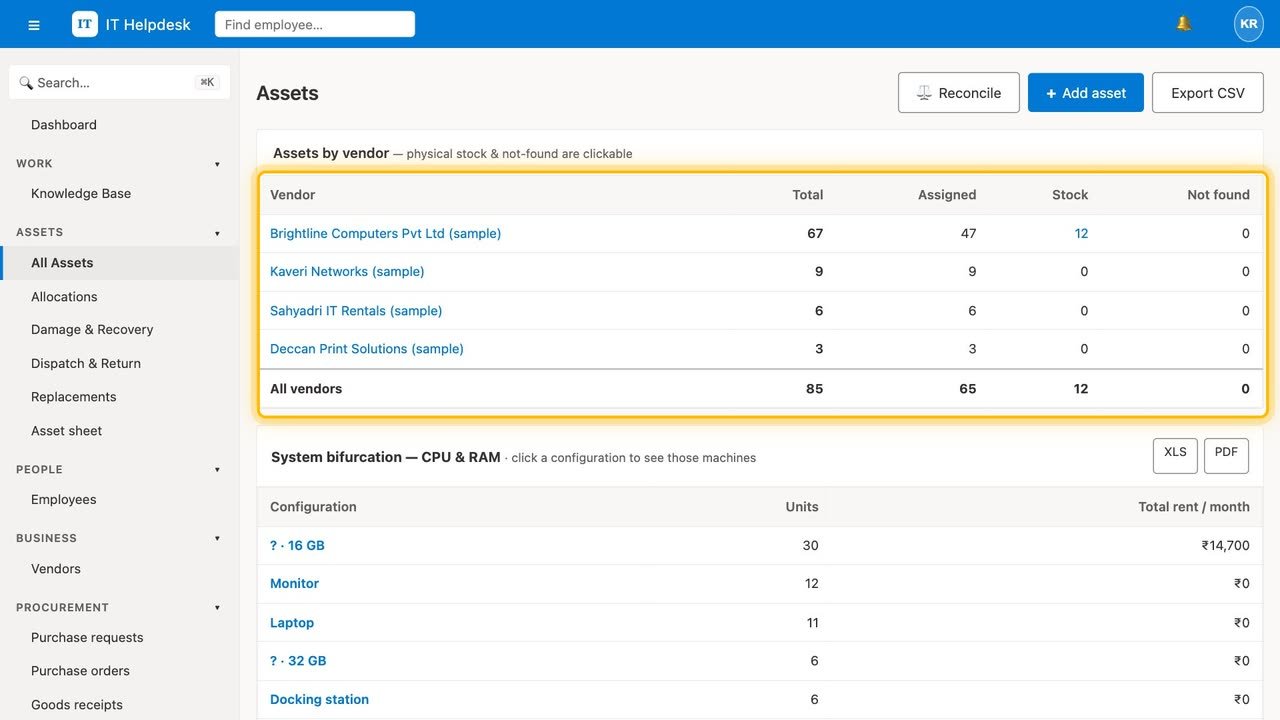
Know every device and who has it.
Track assets through their whole life — assign, return, replace, dispatch, retire. Allocation views break the fleet down by processor and by age, with export and a three-year ageing alert.
From report to replacement.
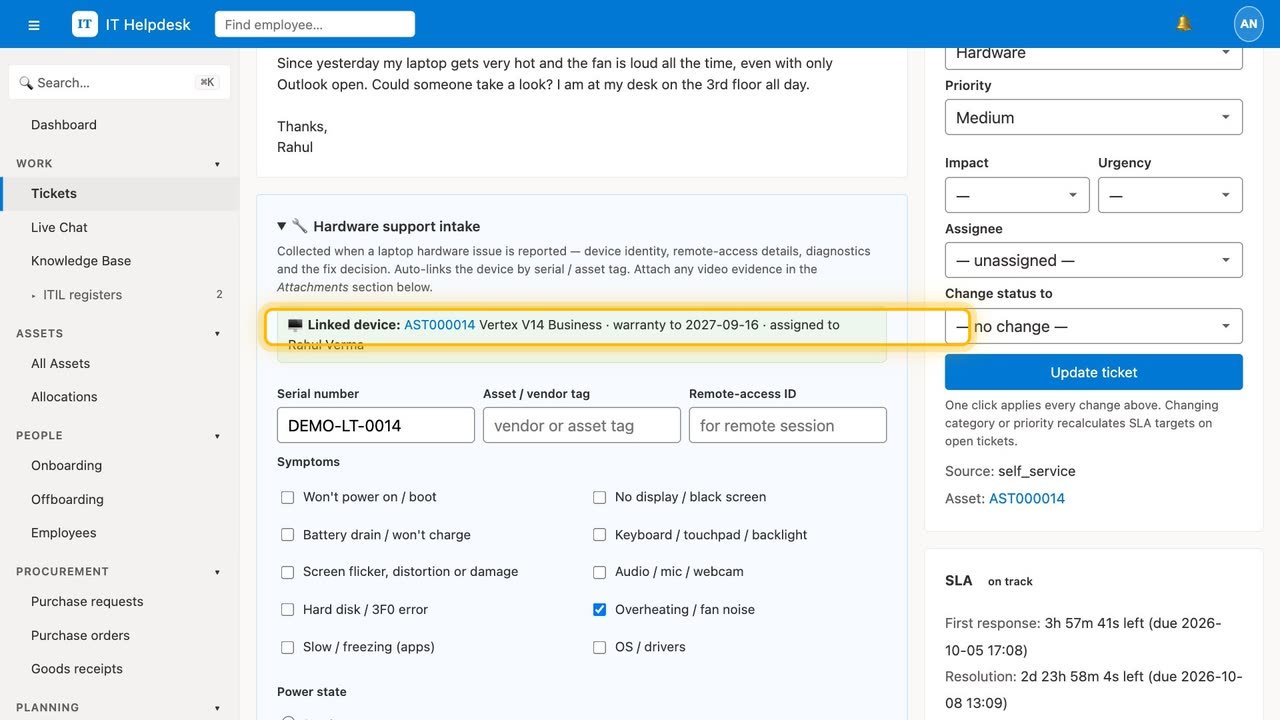
Intake captures the serial, power state and remote-access ID up front — with video for intermittent faults — and links the record to the asset. Replacements dispatch with tracking, and the case closes once receipt is confirmed and the old unit is back.
Onboarding and offboarding, as checklists.
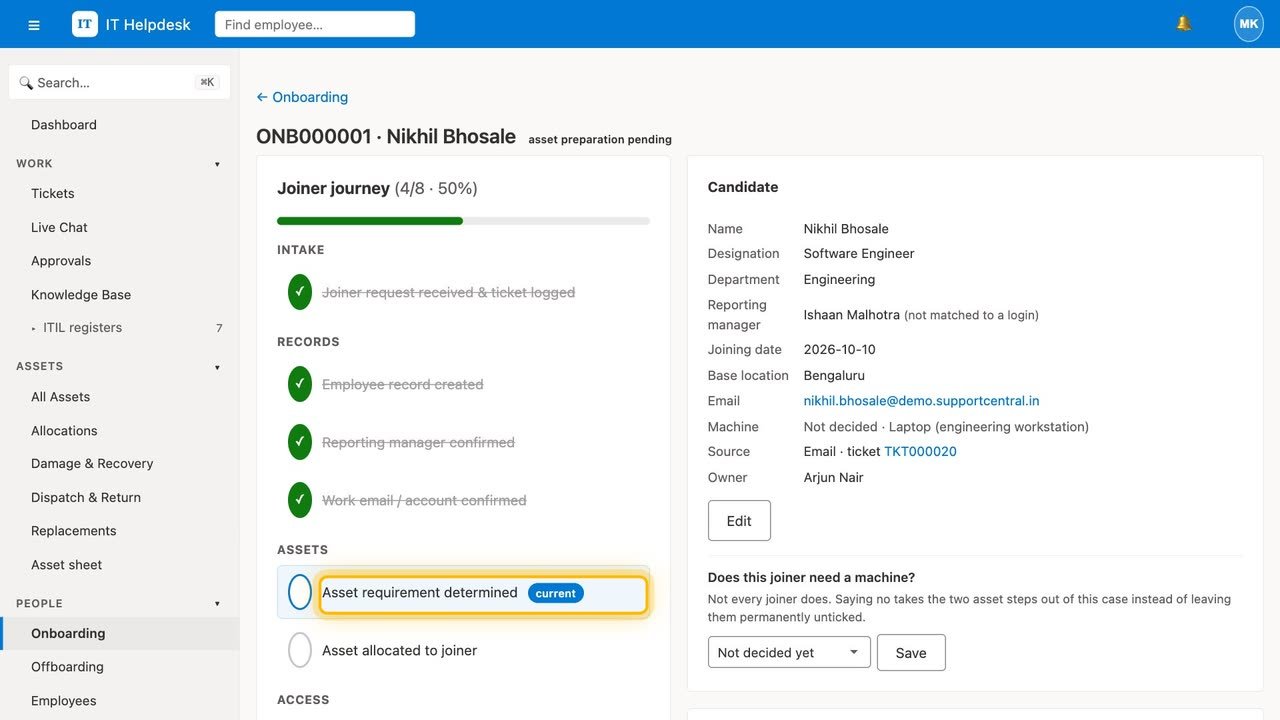
Every joiner gets a checklist with owners and due dates, and the device planned for them; every leaver a clearance that recovers equipment and revokes access before the case can close.
Contracts and licences that never lapse by surprise.
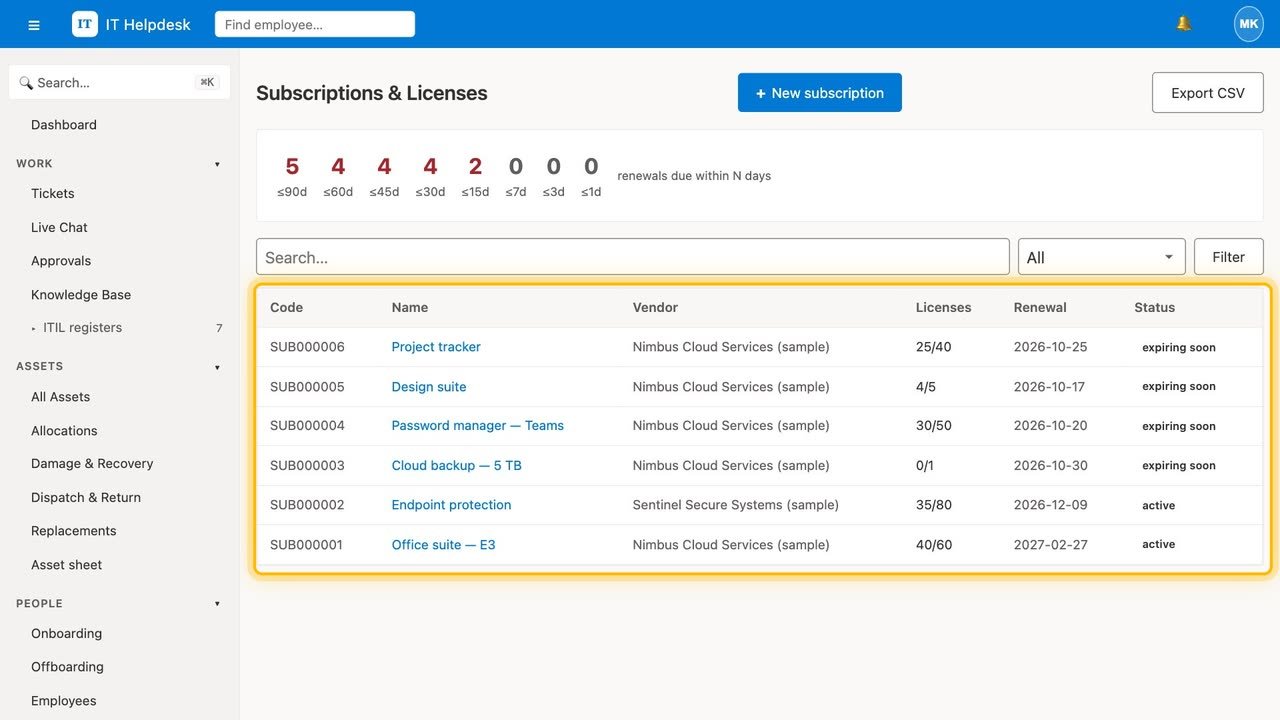
Vendors on every plan; from Professional, subscriptions and licence seats with renewal alerts, and vendor invoices read by AI and matched to the contract.
An assistant on the IT front desk.
It answers from your own knowledge base, shows someone their tickets, devices and shipments only after a one-time code to the email on their record, and brings in a person when it needs to.
Incidents, requests, problems, changes and releases — linked.
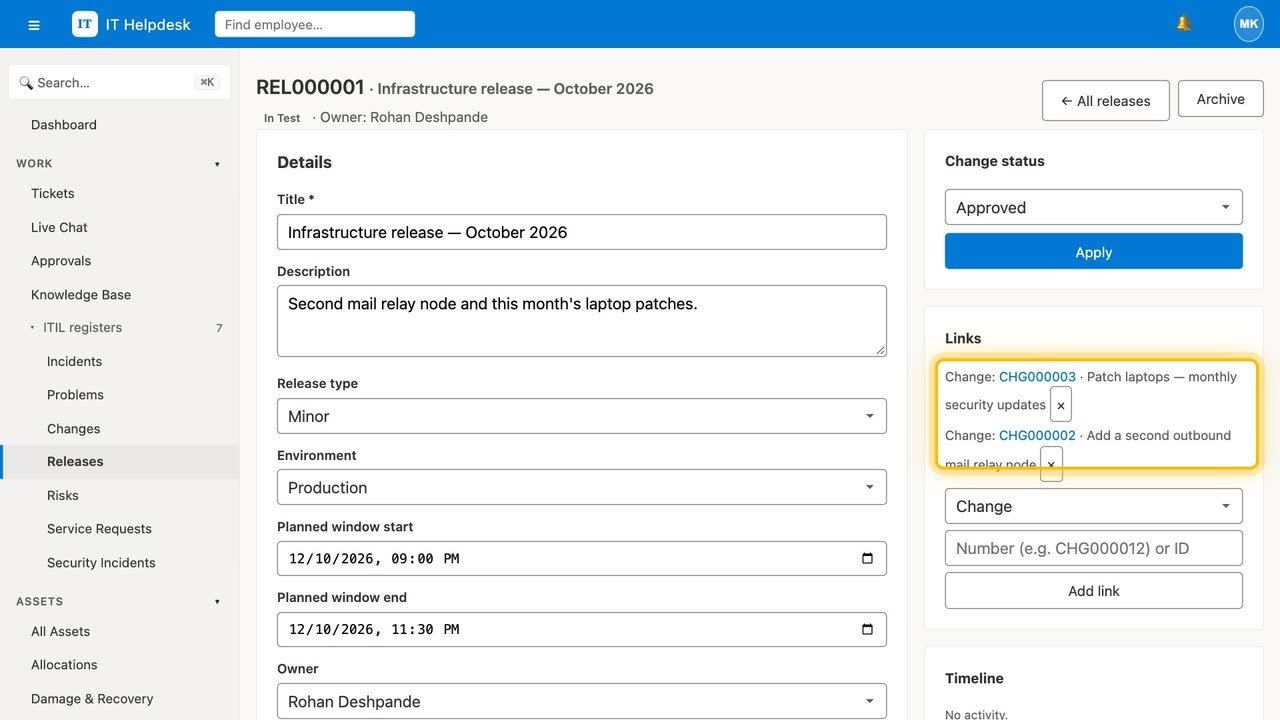
Incidents and service requests with a catalogue and approvals on every plan; problems, changes, releases, risks and security incidents from Professional. A release cannot start deploying until its changes are approved. Link any record to the tickets, assets and changes it touches.
See who resolved what, and what your fleet costs.
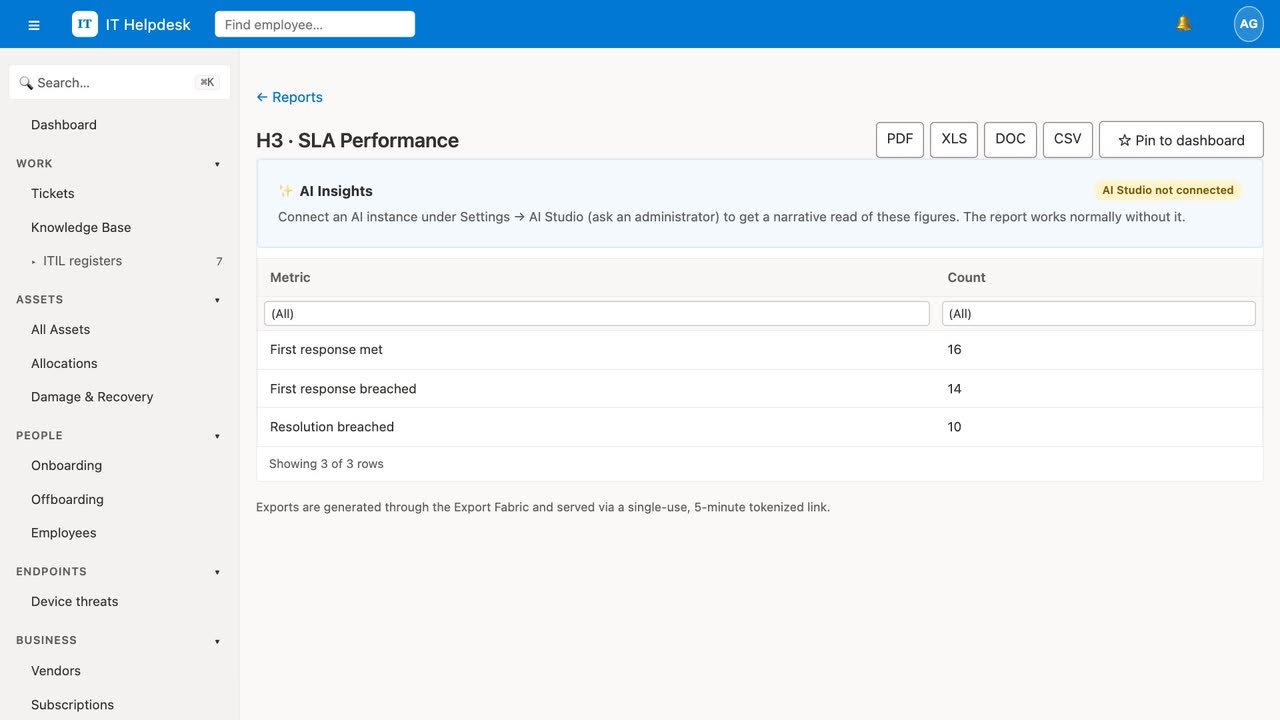
Agent performance, SLA met, asset ageing and a configuration view with monthly rent — reconciled against the vendor's invoice. Build your own reports and schedule them.
Open to everyone — without being open to abuse.
Two-factor sign-in, sign-in limits per account and per connection, a built-in human check on every public form (no third-party CAPTCHA), an audit log of every change, and each organisation's data kept apart. Export everything, any time.
Start with 21 days of Enterprise.
Sign up and your workspace is ready at supportcentral.in/yourcompany. Moving an existing workspace? Bring it across from Settings → Account data → Import.